Split panes, any host
Claude on one machine, Codex on another, side by side in one tab.
For Claude Code and Codex
Drift runs your agents on all your machines — the laptop, the GPU box, the staging server — from one window. Over plain ssh and tmux, with nothing to install on your servers. Close the laptop; they keep working.
Free. Bring your own claude and codex.
Every session, every machine
Add a host and Drift lists every Claude Code and Codex session on it, grouped by repository and branch. A pulsing dot means an agent is working; amber means it's waiting for you. You see which one needs you without opening anything.
~/.ssh/config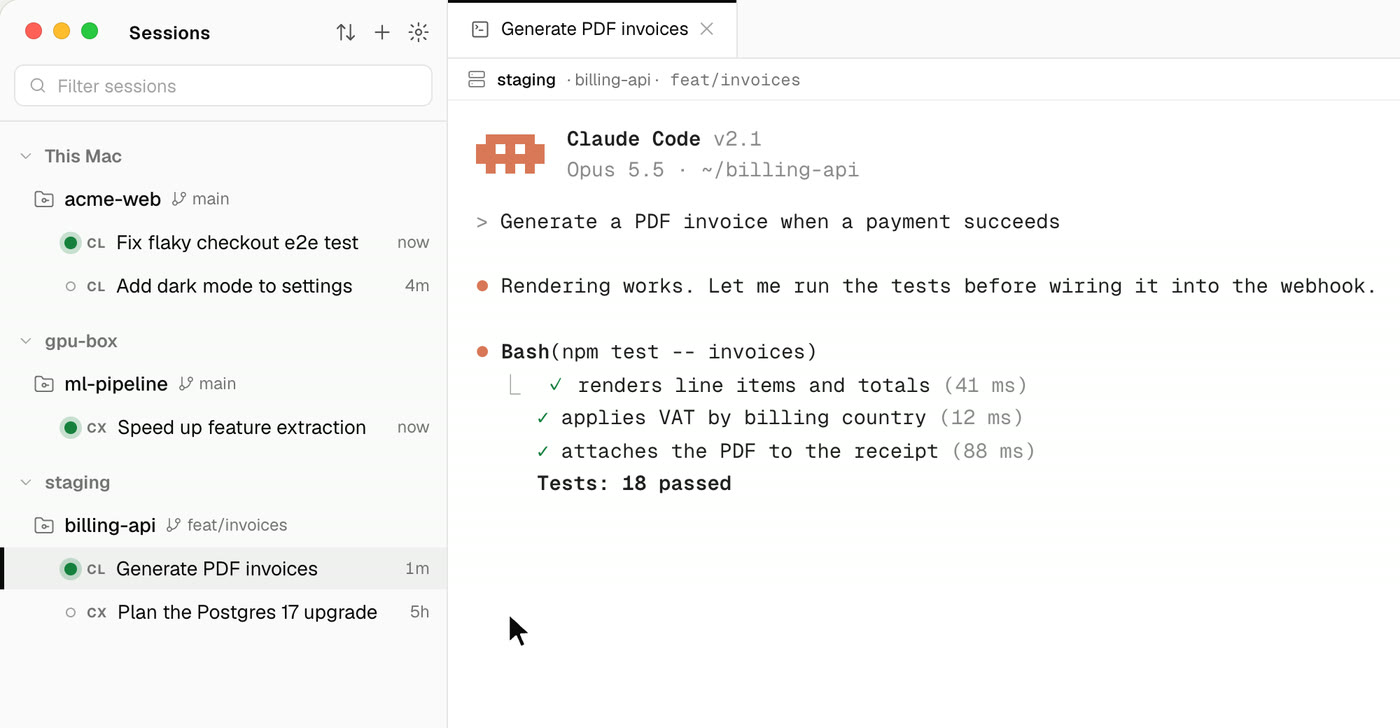
Zero install
Drift doesn't ship an agent, a daemon or a runtime to your servers. A session is a tmux session running your own claude or codex; Drift attaches to it with the ssh you already use — so ProxyJump, hardware keys and 1Password's agent all just work.
The terminal is the real CLI, not a re-rendering of it. Everything the agent can do in your terminal, it does here.
tmux · drift-claude-7a13…claude --resume 7a13…Nothing stops
Quitting Drift only detaches. Your agents keep running in tmux on their hosts, and when you come back — after a restart, an update, a flight — every tab reattaches with its scrollback. Open the same session from another computer at the same time; both stay in sync.
Built around the terminal
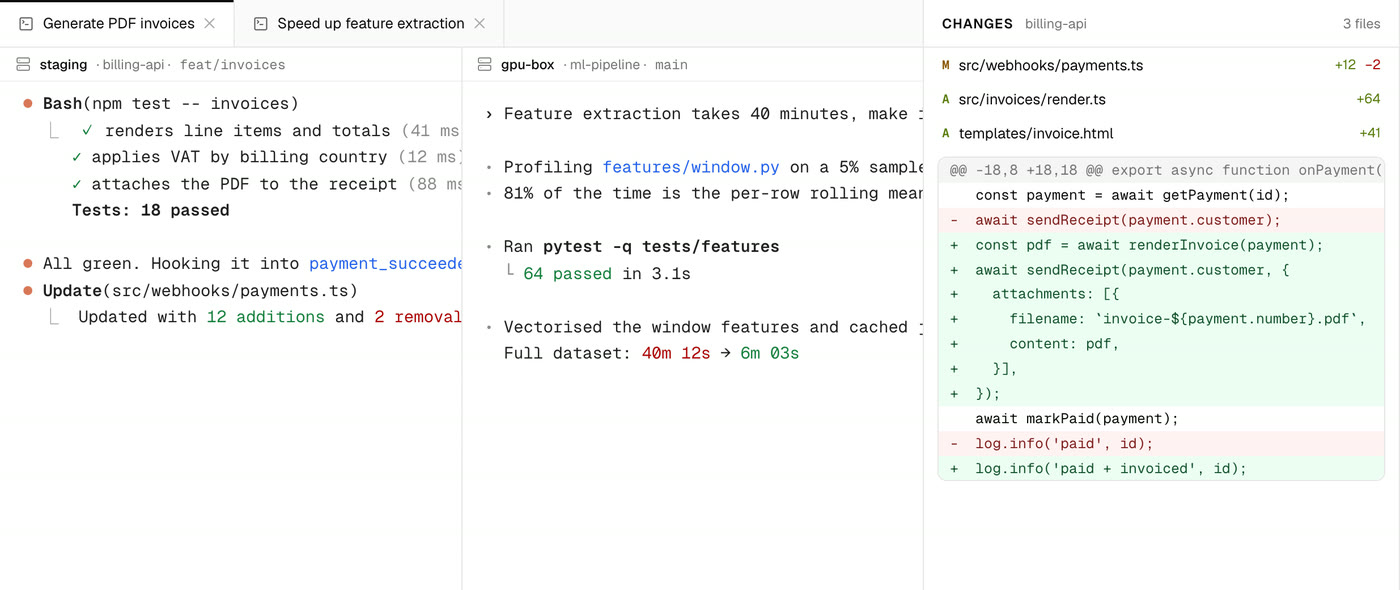
Claude on one machine, Codex on another, side by side in one tab.
The repo's diff, file by file, beside the session that made it.
Browse, edit and search the remote checkout. Preview Markdown with ⇧⌘V.
Start an agent on a fresh git worktree, so parallel work never collides.
Paste a screenshot into a remote agent — it lands on the host, ready to read.
Drag files up to a host or download them, directories included.
A host that can't reach the model API can use this computer's proxy through the same ssh.
New versions download in the background; restart when it suits you.
Drift Pro
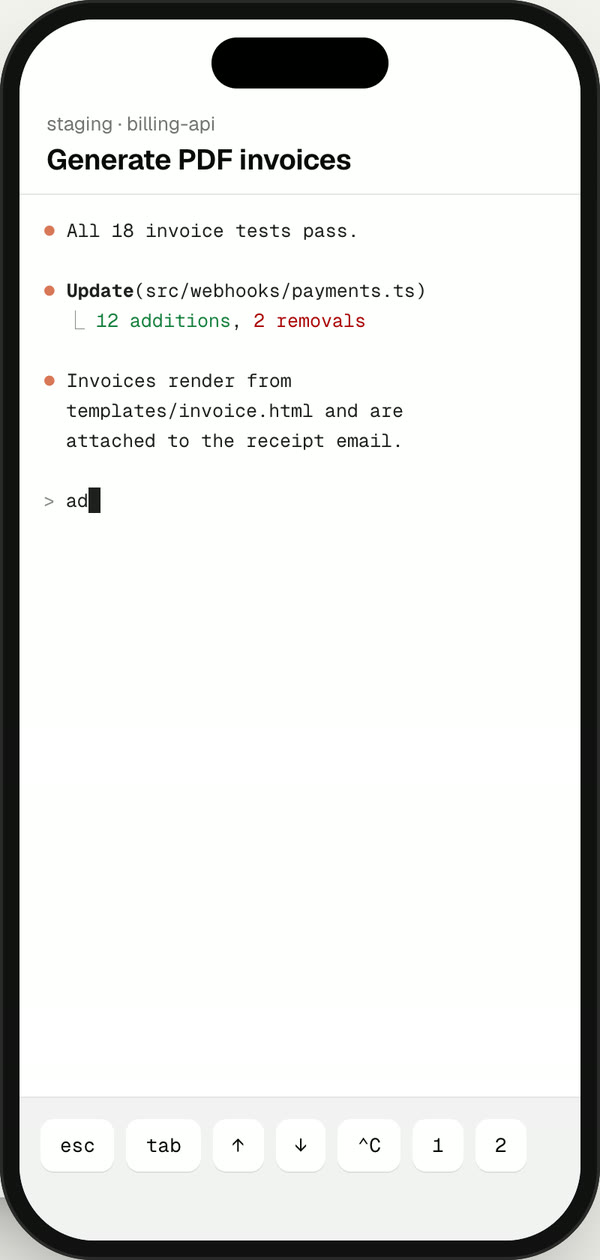
When an agent finishes or needs you, the notification says what it said — not just “done”. Tap it and you're in the same terminal, on the same session, typing.
iPhone app coming soon to the App Store.
The desktop app is free, with no limits. Pro adds your phone.
No account needed.
Download DriftBilled monthly · cancel anytime.
Get Drift Pro14-day money-back guarantee · Pro uses your Drift Cloud account.
Your servers need tmux and your agent's CLI. That's all.
On Windows, Drift manages agents on your remote hosts over SSH. On macOS it also runs them on the Mac itself.
No. It runs your own claude or codex inside tmux, over the ssh you already use. If a host has no tmux, Drift offers to install it with the system's package manager — with your say-so, and nothing else.
Nowhere new. The agent CLIs talk to their providers exactly as they do in your terminal, with the credentials they already have. Drift doesn't proxy, store or see your prompts, and it collects no analytics.
The agents keep running in tmux on their hosts. Quitting only detaches; when you reopen Drift every tab reattaches with its scrollback. Updates restart only when you click Restart.
Yes. Drift reads the transcripts the CLIs already keep, so past Claude Code and Codex sessions show up on each host, ready to resume.
Your phone. Pro lets the Drift iPhone app reach your computer through our relay, end-to-end encrypted, with notifications that carry the agent's reply. Everything on the desktop is free.